

By humans, for humans.
Guaranteed.
INSIDE THIS ISSUE
News from the Seller Community
The latest must-know info on Policy & Tactics, plus Review news you can use.
From the eCom Growth Show Podcast
In this episode we discuss one of the biggest sourcing opportunities most eCommerce brands are completely overlooking: Indonesia.
Upcoming eCom Events
What not to miss & what’s coming next. Get your full update on the best industry events (and parties).
Black Hat Watch
The bad guys never rest. Their latest tactic is called “inventory trapping”, and it can force stockouts that create havoc for your sales.
This Week’s Dad Joke
Try not to laugh. 😁
From Our Sponsor: DataDoe
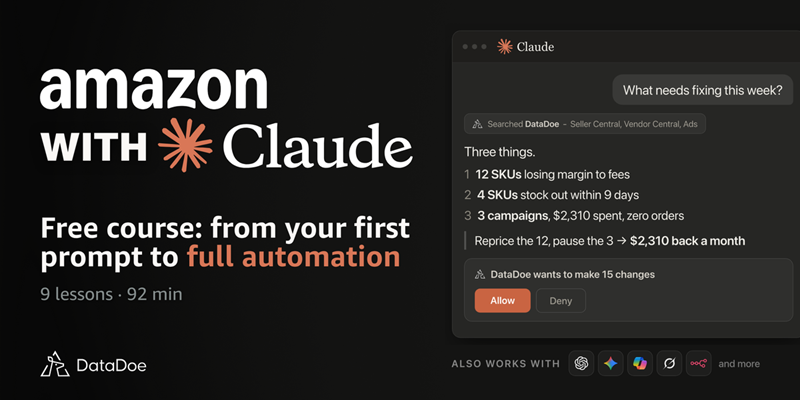
For most sellers, AI still means downloading a report, pasting it into ChatGPT, then making every change in Seller Central by hand.
Jakob Wolitzki, who has been teaching on YouTube since 2019, shows the rest of the way in nine lessons, including how to:
- Connect Seller Central and Ads to Claude
- Pull a full P&L, TACOS and ACOS out of one chat
- Build a dashboard from one prompt that checks your account every morning
- Reprice, edit listings and pause campaigns, with each change previewed first
Stuck on a step? One-click hands the whole course to Claude, and it tutors you through it on your own account.
Free. No email, no card.
The course runs on DataDoe, which connects your Amazon account to Claude, ChatGPT or Gemini. Try it 14 days free, then take 30% off your first three months with code DANAN.
Be Part of Our Walmart Beta

We’re expanding our review removal service to Walmart.
First we have to test it.
We’ve been refining our process and seeing great results, and are now ready to invite select brands to test the removal of negative reviews on Walmart.
If you sell on Walmart, we’re looking for 5 brands to help. Onboarding is free, and our support team will work with you closely to evaluate results.
[ Walmart Negative Review Removal Beta ]
News from the Seller Community
Policy & Tactics
Your AI Agent Can Now Access Seller Central
Amazon used the recent Accelerate conference to open Seller Central to AI agents:
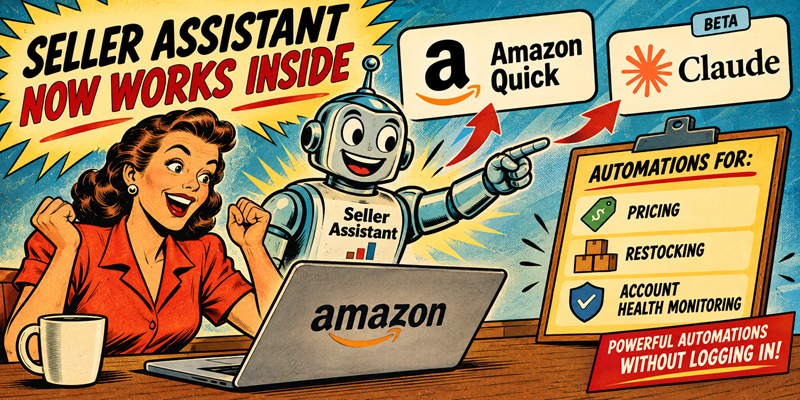
Seller Assistant now works inside Amazon Quick and, in beta, inside Claude, running pre-built automations for pricing, restocking, and account health monitoring without a seller logging in.
As well, a new Inbound Planning Agent (beta) builds and executes replenishment plans.
Yes, Amazon just started letting AI agents make pricing, inventory, and account-health calls inside seller accounts. My advice: Before you hand off yet another decision to automation, know exactly which ones you’re comfortable losing visibility into.
This may be the week’s biggest Amazon story.
Reviews & Ranking
Your Main Image Is Losing You Clicks
Here’s a stat that you should consider:
When sellers test a new main image against the one they’re currently running, the new one wins about eight times out of ten. Most of us treat the hero image like it’s finished the day we upload it.
It isn’t.
Your click-through rate can quietly erode for months while a competitor reshoots their main image, and nothing in Seller Central will ever flag it for you.
The Play:
The best advice I’ve found is to test fundamentally different angles first, then refine within the winning angle, and retest at least quarterly since a stale image loses clicks with no warning in Seller Central. Put a reminder on your calendar to retest your images, especially as we head into the critical Q4 rush.
In short: Treat your hero image as a live experiment, not a one-time upload.
From the eCom Growth Show Podcast
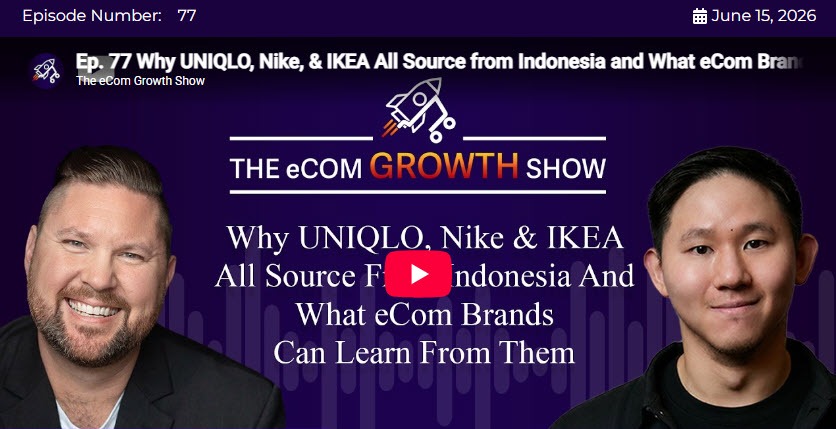
Episode #77
Why UNIQLO, Nike, & IKEA All Source from Indonesia and What eCom Brands Can Learn from Them
In this episode of The eCom Growth Show, Danan Coleman sits down with Edward Haryono, Co-Founder and CEO of Saudara, to discuss one of the biggest sourcing opportunities most eCommerce brands are completely overlooking:
Indonesia.
With a background in logistics, manufacturing, and five years inside Amazon’s supply chain organization, Edward shares why global giants like Nike, Adidas, IKEA, UNIQLO, and Crate & Barrel have been sourcing from Indonesia for years, and what smaller eCommerce brands can learn from their playbook.
Click the Play button above to watch.
For our full selection of episodes click here 👇
Upcoming eCom Events
White & Private Label Expo New York (Sep 30)
Attendees can explore the latest products, technologies, logistics solutions, and industry trends while gaining practical insights from expert-led educational sessions.
Endless Customers Live 2026 (Oct 5-7)
A three-day sales, marketing, leadership, and AI event for business leaders, sales professionals, marketers, content managers, coaches, and teams.
Creator Commerce Collective (Oct 28)
Hosted by Levanta under the theme “Human-Made,” this is a brand-led gathering for the people shaping product discovery and commerce strategy.
Cross Border Summit 2026 (Nov 3-5)
A three-day ecommerce conference for cross-border sellers, Amazon and multi-channel operators, DTC founders, agencies, and service providers looking to scale internationally.
For a full list of industry events (and great parties to attend) visit Ecom.Events:
[ Ecom.Events ]
Black Hat Watch

Creating Inventory Problems is the Next Trick
An emerging black hat wave hitting Amazon sellers involves a surge of abnormal, coordinated orders stuck in “pending status” that trap inventory and block legitimate sales.
What It Is
Inventory Trapping is where attackers use automated accounts or bots to place massive bulk or high-value orders that then remain in a perpetual “pending” state.
What It Means
Because Amazon holds inventory while processing pending orders, these fake purchases lock up entire stocks, creating artificial stock-out conditions that tank a seller’s ranking and lose them organic sales.
Things You Can Do
The single most effective preventive step is to stop bots from locking up your bulk stock in one click. You can do that by setting a maximum order quantity in Seller Central. Find that setting in your listing’s inventory details page, and choose a reasonable number for each item.
Even if the attacker uses multiple bot accounts, a low maximum order limit forces them to work significantly harder, spreading out their attacks and making it easier for Amazon’s anti-fraud algorithms to detect and flag the coordinated velocity spike.
Note: I can also help with other tactics to help prevent this.
Set up a call and let’s see what we can do help.
[ Schedule a Call ]
This Week’s Dad Joke 😁
Five guys walk into a bar.
You’d think one of them would’ve seen it.