
• ASIN Protection & Catalog Health: How Often Should You Check Your Listings?

    ASIN Protection & Catalog Health: How Often Should You Check Your Listings?

    Alright, let’s talk about your Amazon listings – your digital storefronts. Imagine opening a physical store and then… never checking if the shelves are stocked, the prices are right, or if someone has decided to replace your best-selling widget with a rubber chicken.

    Sounds crazy, right?

    Neglecting your Amazon listings can be just as detrimental. So, the big question is: how often should you be giving your ASINs some TLC?

    The “If It Ain’t Broke, Don’t Fix It?” Fallacy

    You might be thinking, “Hey, my listings are doing fine. Sales are steady. Why mess with a good thing?” That’s like saying your car runs fine, so you’ll skip oil changes. Sooner or later, you’re going to run into trouble. The Amazon landscape is constantly shifting – competitors change their listings, algorithms update, and errors can creep in unnoticed.

    Regular checks are essential for maintaining catalog health and protecting your ASINs.

    The 5×20 Rule Applied: Little and Often Wins the Race

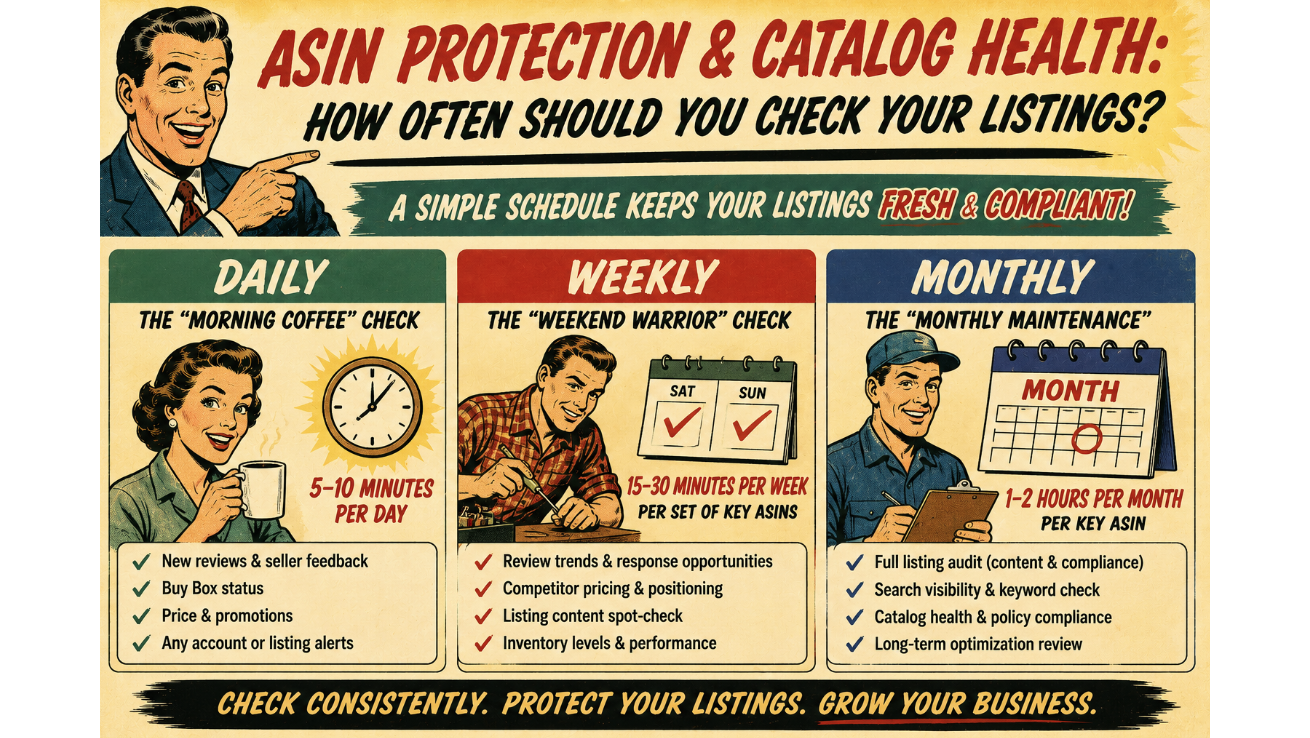
    Instead of one massive listing audit every blue moon, let’s think about the 5×20 rule. Small, consistent efforts yield big results over time. Here’s how that applies to checking your listings:

    • Daily (The “Morning Coffee” Check – 5-10 minutes per day):
      • Review recent customer feedback and questions: Keep an eye out for any product-related issues, inconsistencies in your listing, or potential problems customers are facing. Addressing these quickly can prevent negative reviews and build trust.
      • Monitor for listing hijackers: Unfortunately, the Wild West of the internet sometimes spills onto Amazon. Quickly scan your listing details (title, bullet points, images) to ensure no unauthorized sellers have jumped on and changed crucial information.
      • Check for suppressed listings: Amazon can sometimes suppress listings for various reasons (policy violations, missing information). A quick daily check ensures your products are actually visible to buyers.  
    • Weekly (The “Weekend Warrior” Check – 15-30 minutes per week per set of key ASINs):
      • Deep dive into listing details: Review your title, bullet points, product description, and backend keywords. Are they still optimized? Are they accurate? Have any new relevant keywords emerged?
      • Image and video audit: Ensure your visuals are high-quality, accurately represent your product, and comply with Amazon’s guidelines. Are there any new image best practices you should be implementing?
      • Pricing and competition analysis: Check your pricing against competitors. Are you still competitive? Are there any significant price changes in your niche that you need to be aware of?
      • Review category and browse node: Double-check that your product is still in the most relevant category and browse node. This impacts discoverability.
    • Monthly (The “Monthly Maintenance” – 1-2 hours per month per key ASIN):
      • Full content refresh (if needed): Based on performance data and keyword research, consider a more significant update to your listing content.
      • Backend keyword optimization: Conduct thorough keyword research to identify new opportunities and refine your backend search terms.
      • A+ Content/Brand Story review: If you have Enhanced Brand Content or A+ Content, ensure it’s still engaging, up-to-date, and effectively showcasing your brand and product benefits.
      • Run a listing quality report (if available): Amazon sometimes provides reports on listing quality, highlighting areas for improvement.  

    The Consequences of Neglect (The “Uh Oh” Moments)

    • Lost sales: Inaccurate or incomplete listings can deter potential buyers.  
    • Negative reviews: Customers who receive a product that doesn’t match the description are likely to leave negative feedback.
    • Listing suppression: Amazon can remove your listing altogether if it violates their policies or lacks essential information.  
    • Hijackers and counterfeiters: Failing to monitor your listings can leave you vulnerable to unauthorized sellers who can damage your brand and steal sales.  
    • Decreased discoverability: Poorly optimized listings rank lower in search results.

    Dad Joke Break: Why did the Amazon listing break up with the seller? It said, “You never listened to me!”

    Don’t Gather Digital Dust

    Don’t let your Amazon listings gather digital dust! Implement a consistent checking schedule using the 5×20 rule to protect your ASINs and maintain catalog health.

    For a deeper dive into optimizing your listings for maximum performance, explore our services on our site, and see how we can help you supercharge your ecom business.

  • The Silent ASIN Killer: Search Suppression

    The Silent ASIN Killer: Search Suppression

    Imagine pouring resources into a fantastic product, optimizing your listing to perfection, and even running successful ad campaigns. Everything seems to be going smoothly, and then… crickets. Sales plummet. You check your listing, and it looks fine. What’s going on?

    You might be a victim of the silent ASIN killer: search suppression.

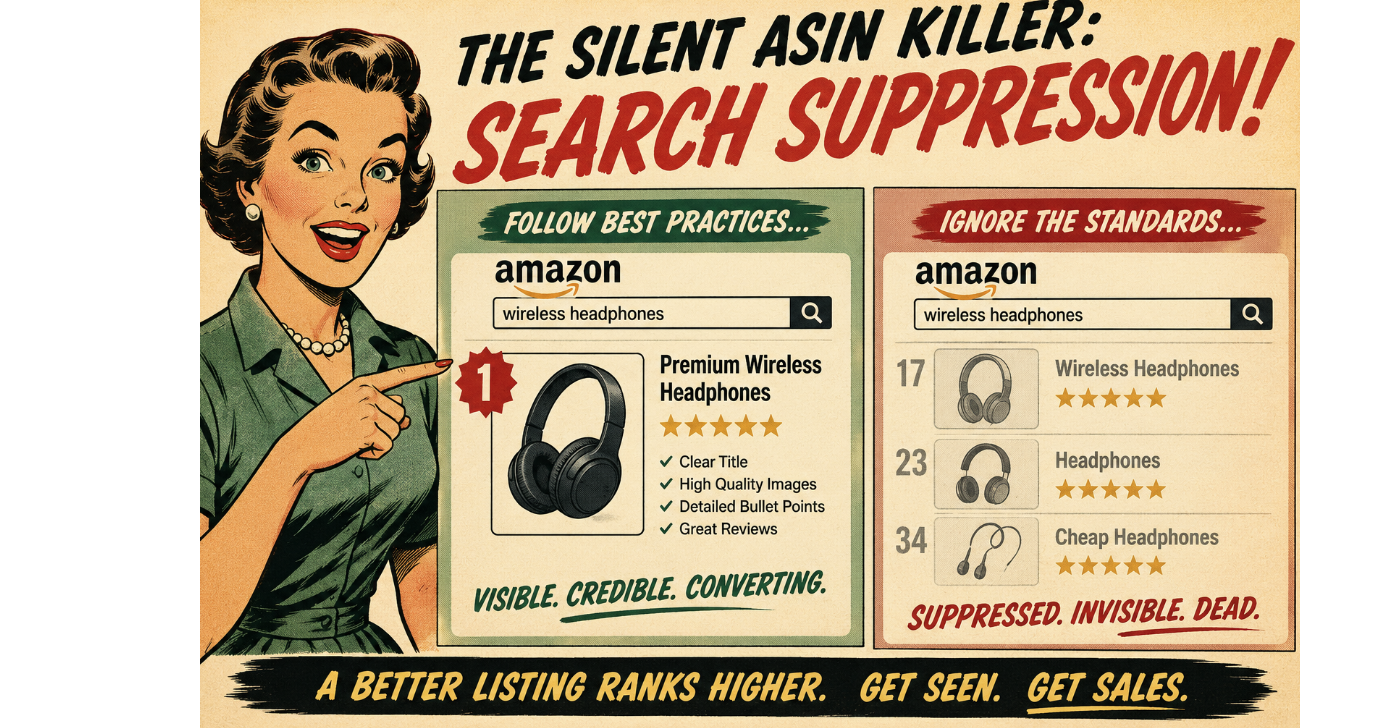
    Search suppression is like your star player being benched without any clear explanation. Your ASIN is still active in your inventory, but it’s no longer showing up in relevant customer searches on Amazon. This can happen for a variety of reasons, often without any immediate notification, making it a particularly insidious threat to your catalog health.

    It’s the silent assassin of your sales, slowly bleeding your revenue without you even realizing the culprit.

    Why Does Search Suppression Happen?

    Amazon’s algorithm is constantly working to provide the best possible shopping experience for its customers. To do this, it has certain standards for product listings. When a listing falls below these standards, the algorithm might silently suppress it from search results to avoid showing incomplete, inaccurate, or potentially misleading information to buyers.

    Here are some common culprits behind search suppression:

    • Missing Key Attributes: Amazon requires certain essential information for each product category. This can include things like brand name, color, size, material, key features, and more. If these vital attributes are missing or incomplete, Amazon might suppress your listing. It’s like trying to order a pizza without specifying the toppings – the system just doesn’t know what to do!
    • Incomplete or Incorrect Product Information: This goes beyond just missing attributes. If your product title is too short or stuffed with irrelevant keywords, your bullet points are vague or poorly written, or your product description lacks essential details, Amazon might deem your listing unhelpful and suppress it. Think of it as trying to follow a recipe with missing ingredients and unclear instructions – you’re likely to end up with a disaster.
    • Low-Quality or Missing Images: In the world of e-commerce, high-quality images are crucial. If your listing has blurry, pixelated, or missing images, or if you don’t have the required number of images from different angles, Amazon might suppress your listing. Customers need to see what they’re buying! It’s like trying to judge a book by its (missing) cover.
    • Policy Violations: Certain product categories have specific guidelines and restrictions. If your listing violates these policies, it could lead to search suppression. This could include issues with product safety, intellectual property, or prohibited items. It’s like trying to bring a prohibited item through airport security – you’ll be stopped.
    • Negative Customer Feedback: While individual negative reviews usually don’t directly cause search suppression, a pattern of negative feedback related to product quality, accuracy of the listing, or safety concerns could trigger the algorithm to suppress the ASIN as a precautionary measure. It’s like the restaurant getting flagged by the health inspector after too many complaints.
    • Technical Glitches: Sometimes, the gremlins in the Amazon machine can cause temporary search suppression. While less common, it’s worth considering if you’ve checked all other potential issues. It’s like your internet randomly going out – frustrating and sometimes hard to pinpoint the exact cause.

    How to Identify and Fix Search Suppression

    • Regularly Monitor Your Listings: Don’t just set it and forget it. Regularly check your listings for any alerts or notifications in Seller Central. Pay attention to any sudden drops in impressions or sales.
    • Use Amazon’s Listing Quality Dashboard: Seller Central has tools to help you identify listings with missing information or potential issues. Utilize these dashboards to proactively improve your catalog health.
    • Compare Your Listing to Top Competitors: See what information they are including in their titles, bullet points, and descriptions. Are you missing any crucial details that they have?
    • Review Amazon’s Style Guides for Your Category: Make sure you are adhering to Amazon’s specific requirements for your product type.
    • Check Your Images: Ensure you have high-quality images that meet Amazon’s guidelines for size, resolution, and number.
    • Look for Performance Notifications: Amazon will sometimes notify you if a listing has been suppressed due to a policy violation. Address these notifications promptly.
    • Run Search Term Reports: If your ads are still running but you’re not seeing organic traffic, your listing might be suppressed.

    Addressing search suppression quickly is crucial to regaining visibility and sales. Regularly auditing your catalog health and ensuring your listings are complete, accurate, and compliant with Amazon’s guidelines is the best way to prevent this silent killer from impacting your business.

    Get (& Use) the Checklist

    Is your ASIN silently suffering? Get our comprehensive checklist for optimizing your Amazon listings and avoiding search suppression pitfalls! Message us here:

    Contact ECom Triage 

  • 20+ Critical ASIN Issues Amazon Doesn’t Tell You About

    20+ Critical ASIN Issues Amazon Doesn’t Tell You About

    Amazon’s selling environment is dynamic, which means staying on top of catalog health is more important than ever. Did you know there are over 20 critical ASIN issues that Amazon doesn’t actively notify sellers about?

    Here’s what you need to watch for to ensure your ASINs are healthy.

    1. Inaccurate Product Listings

    If your product listings contain incorrect information (even if it’s not intentional), Amazon may suppress your listings or remove them entirely. Errors like wrong images, incorrect variations, or incomplete descriptions can result in a poor customer experience and even policy violations.

    2. Variation Problems

    Having multiple variations (size, color, etc.) for a single product is common, but if you don’t properly set up these variations, Amazon could merge your listings incorrectly, resulting in a cluttered catalog or confusion for customers.

    3. Product Detail Page Issues

    Missing key details or improperly optimized fields on your product detail page (like keywords or bullet points) can negatively affect your rankings, leading to less visibility and sales.

    4. Non-compliant Reviews

    Amazon flags reviews for policy violations, and sometimes these are connected to specific ASINs. If these reviews are not dealt with swiftly, they can damage your product’s reputation.

    5. FBA and Fulfillment Issues

    Even if your ASIN is eligible for FBA (Fulfilled by Amazon), if there’s a mismatch with your fulfillment settings or inventory count, it could impact your listing’s visibility and sales.

    6. Catalog Health and Performance Metrics

    Amazon will take down ASINs that consistently underperform on metrics like customer returns, out-of-stock statuses, or poor seller performance. It’s important to monitor your ASINs for these indicators.

    The Takeaway

    Catalog health is often overlooked until something goes wrong, but by monitoring and resolving these issues proactively, you can keep your listings competitive and compliant.

    Tools like eCom Triage’s Catalog Defender can help you track these critical issues before they escalate, ensuring your ASINs stay healthy and profitable.