
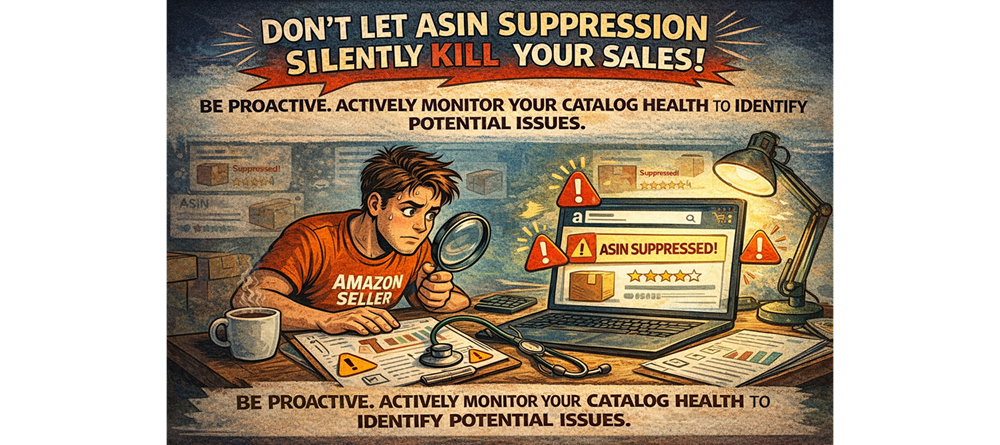
Imagine logging into your Amazon Seller Central account only to find that one of your key product listings has vanished from search results. Panic sets in. Where did it go? The likely culprit: ASIN suppression. Understanding what ASIN suppression is, why it happens, and how to catch it early is crucial for maintaining catalog health and preventing significant sales disruptions.
What Exactly is ASIN Suppression?
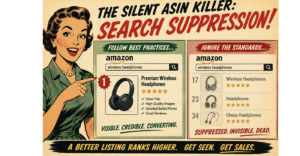
ASIN suppression is Amazon’s way of temporarily or permanently deactivating a product listing from search results and sometimes even from your storefront. Amazon’s primary goal is to provide a positive and consistent shopping experience for its customers. When a listing lacks essential information or violates their policies, they suppress it to maintain the quality and integrity of their marketplace.
Think of it as Amazon putting your listing in a “time-out” until you fix the underlying issues. While it’s not as severe as a full account suspension, ASIN suppression can still lead to significant revenue loss as your product becomes invisible to potential buyers.
Why Does ASIN Suppression Happen?
Amazon has specific requirements for product listings, and failing to meet these can trigger suppression. Common reasons include:
- Missing Key Attributes: Amazon requires certain attributes for each product category. This can include things like brand name, product title, bullet points, product description, main image, key product features, size, color, material, etc. If these are incomplete or missing, your ASIN might be suppressed.
- Policy Violations: This is a broad category but includes violations of Amazon’s listing policies, such as using prohibited keywords, inaccurate claims, incorrect category selection, or issues with intellectual property.
- Image Issues: Your main product image is critical. It needs to meet Amazon’s strict guidelines regarding size, background (usually white), and the product’s prominence in the frame. Low-quality images or those that don’t meet requirements can lead to suppression.
- Pricing Errors: Listings with extremely high or unrealistically low prices can be suppressed as potential errors.
- Safety or Compliance Issues: If Amazon has concerns about the safety or compliance of your product (e.g., missing safety certifications, inaccurate warning labels), they may suppress the listing to protect customers.
- Restricted Products: Attempting to list a product that is prohibited on Amazon will likely result in immediate suppression.
The Importance of Early Detection
The longer your ASIN remains suppressed, the more sales you lose. Early detection is key to minimizing the damage and getting your listing back online as quickly as possible. Here’s why:
- Minimize Sales Disruption: Catching suppression early means you can address the issue before it significantly impacts your sales velocity and organic rankings.
- Maintain Listing Momentum: A prolonged period of suppression can negatively affect your listing’s historical performance data, which is important to Amazon’s search algorithm. Getting it back up quickly helps maintain any momentum you’ve built.
- Prevent Customer Confusion: If customers have previously purchased your product, a sudden disappearance of the listing can lead to confusion and frustration.
- Avoid Potential Account Health Issues: While ASIN suppression itself isn’t usually a direct account health violation, repeated or prolonged suppressions due to policy violations could raise red flags with Amazon.
How to Catch ASIN Suppression Early
Proactive monitoring is essential. Here are several ways to stay on top of your catalog health:
- Regularly Check Seller Central Notifications: Amazon usually notifies you when an ASIN is suppressed, often providing the reason. Make it a habit to check your notifications daily.
- Monitor Your Listing Status: In Seller Central, navigate to “Inventory” and then “Manage Inventory.” Look for listings with an “Inactive (Out of Stock)” or “Inactive (Blocked)” status. Suppressed listings might appear here with a reason for their inactivity.
- Utilize Amazon’s Listing Quality Dashboard: This dashboard provides insights into the quality of your listings and can highlight missing information or potential issues that could lead to suppression. You can find it under “Inventory” and then “Listing Quality Dashboard.”
- Consider Third-Party Monitoring Tools: Several software tools are available that can automatically monitor your listings for suppression and other critical issues, alerting you immediately if a problem arises.
- Pay Attention to Sales Fluctuations: A sudden and unexplained drop in sales for a particular product could be a sign that the listing has been suppressed, even if you haven’t received a notification yet. Investigate immediately.
- Regularly Review and Update Your Listings: Keep your listings fresh and accurate. Periodically review your titles, bullet points, descriptions, and images to ensure they still comply with Amazon’s guidelines and are complete.
What to Do If Your ASIN is Suppressed
- Identify the Reason: The first step is to understand why your ASIN was suppressed. Check your Seller Central notifications and the Listing Quality Dashboard for specific details.
- Address the Issue: Once you know the reason, take immediate action to correct it. This might involve updating missing attributes, revising your product description, uploading a compliant image, or addressing a policy violation.
- Save Your Changes: After making the necessary corrections in Seller Central, ensure you save your changes.
- Wait for Reinstatement: It can take some time for Amazon to review your updates and reinstate your listing. Monitor the status in Seller Central. If it doesn’t reactivate within a reasonable timeframe, you may need to contact Seller Support for further assistance.
Take Charge
Don’t let ASIN suppression silently kill your sales. Are you actively monitoring your catalog health and utilizing Amazon’s tools to identify potential issues?
For proactive strategies and expert help in maintaining a healthy and compliant Amazon catalog, reach out to eCom Triage: