

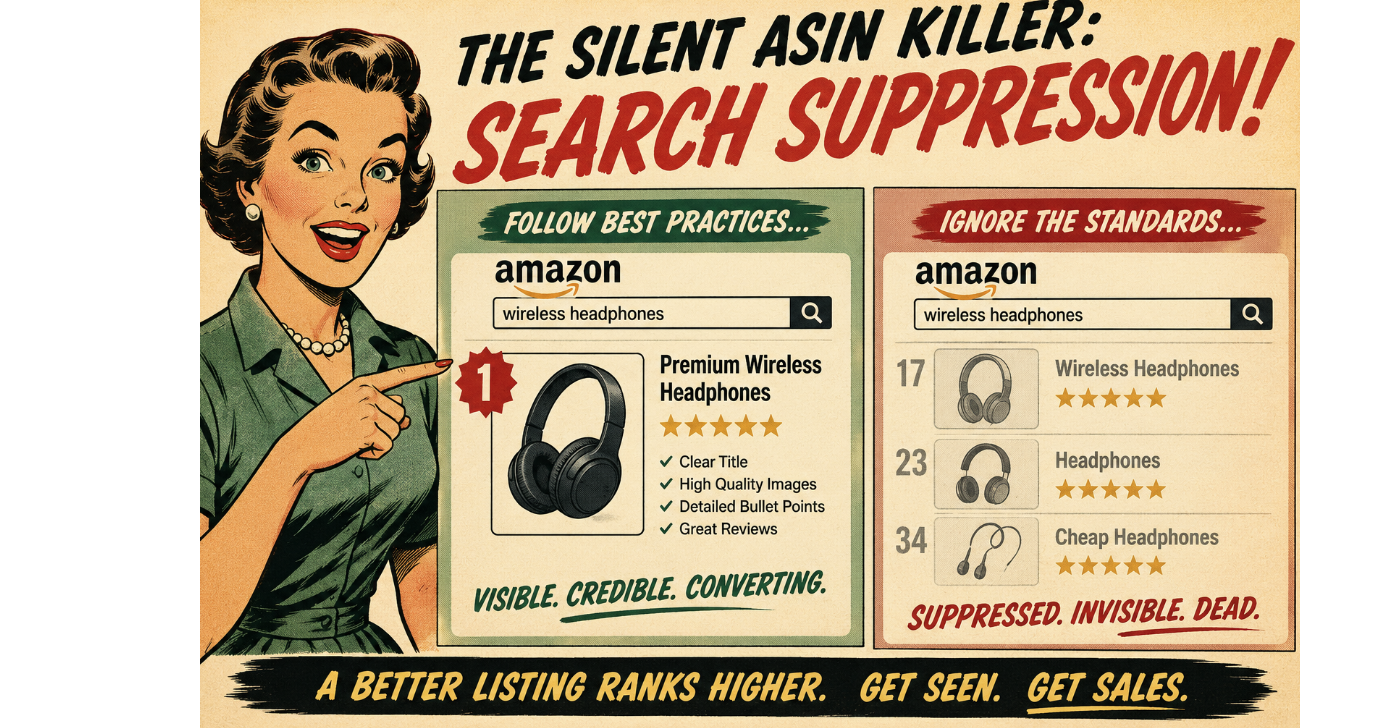
Imagine pouring resources into a fantastic product, optimizing your listing to perfection, and even running successful ad campaigns. Everything seems to be going smoothly, and then… crickets. Sales plummet. You check your listing, and it looks fine. What’s going on?
You might be a victim of the silent ASIN killer: search suppression.
Search suppression is like your star player being benched without any clear explanation. Your ASIN is still active in your inventory, but it’s no longer showing up in relevant customer searches on Amazon. This can happen for a variety of reasons, often without any immediate notification, making it a particularly insidious threat to your catalog health.
It’s the silent assassin of your sales, slowly bleeding your revenue without you even realizing the culprit.
Why Does Search Suppression Happen?
Amazon’s algorithm is constantly working to provide the best possible shopping experience for its customers. To do this, it has certain standards for product listings. When a listing falls below these standards, the algorithm might silently suppress it from search results to avoid showing incomplete, inaccurate, or potentially misleading information to buyers.
Here are some common culprits behind search suppression:
- Missing Key Attributes: Amazon requires certain essential information for each product category. This can include things like brand name, color, size, material, key features, and more. If these vital attributes are missing or incomplete, Amazon might suppress your listing. It’s like trying to order a pizza without specifying the toppings – the system just doesn’t know what to do!
- Incomplete or Incorrect Product Information: This goes beyond just missing attributes. If your product title is too short or stuffed with irrelevant keywords, your bullet points are vague or poorly written, or your product description lacks essential details, Amazon might deem your listing unhelpful and suppress it. Think of it as trying to follow a recipe with missing ingredients and unclear instructions – you’re likely to end up with a disaster.
- Low-Quality or Missing Images: In the world of e-commerce, high-quality images are crucial. If your listing has blurry, pixelated, or missing images, or if you don’t have the required number of images from different angles, Amazon might suppress your listing. Customers need to see what they’re buying! It’s like trying to judge a book by its (missing) cover.
- Policy Violations: Certain product categories have specific guidelines and restrictions. If your listing violates these policies, it could lead to search suppression. This could include issues with product safety, intellectual property, or prohibited items. It’s like trying to bring a prohibited item through airport security – you’ll be stopped.
- Negative Customer Feedback: While individual negative reviews usually don’t directly cause search suppression, a pattern of negative feedback related to product quality, accuracy of the listing, or safety concerns could trigger the algorithm to suppress the ASIN as a precautionary measure. It’s like the restaurant getting flagged by the health inspector after too many complaints.
- Technical Glitches: Sometimes, the gremlins in the Amazon machine can cause temporary search suppression. While less common, it’s worth considering if you’ve checked all other potential issues. It’s like your internet randomly going out – frustrating and sometimes hard to pinpoint the exact cause.
How to Identify and Fix Search Suppression
- Regularly Monitor Your Listings: Don’t just set it and forget it. Regularly check your listings for any alerts or notifications in Seller Central. Pay attention to any sudden drops in impressions or sales.
- Use Amazon’s Listing Quality Dashboard: Seller Central has tools to help you identify listings with missing information or potential issues. Utilize these dashboards to proactively improve your catalog health.
- Compare Your Listing to Top Competitors: See what information they are including in their titles, bullet points, and descriptions. Are you missing any crucial details that they have?
- Review Amazon’s Style Guides for Your Category: Make sure you are adhering to Amazon’s specific requirements for your product type.
- Check Your Images: Ensure you have high-quality images that meet Amazon’s guidelines for size, resolution, and number.
- Look for Performance Notifications: Amazon will sometimes notify you if a listing has been suppressed due to a policy violation. Address these notifications promptly.
- Run Search Term Reports: If your ads are still running but you’re not seeing organic traffic, your listing might be suppressed.
Addressing search suppression quickly is crucial to regaining visibility and sales. Regularly auditing your catalog health and ensuring your listings are complete, accurate, and compliant with Amazon’s guidelines is the best way to prevent this silent killer from impacting your business.
Get (& Use) the Checklist
Is your ASIN silently suffering? Get our comprehensive checklist for optimizing your Amazon listings and avoiding search suppression pitfalls! Message us here: