
INSIDE THIS ISSUE
News from the Seller Community
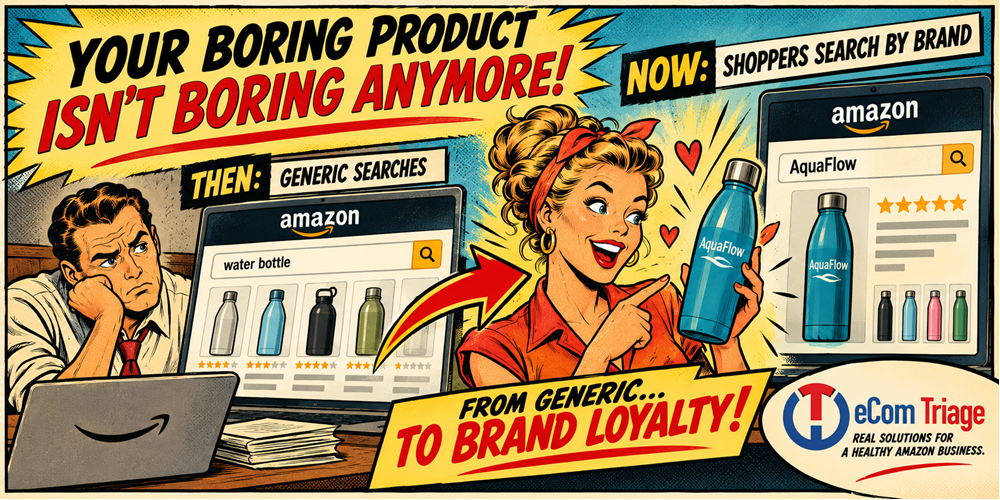
A few years ago almost nobody searched for a brand name to buy a basic water bottle. Today most shoppers do — and they’re doing it in other categories too.
From the eCom Growth Show Podcast
In this episode we learn why branding is much more than a logo. Get practical advice on building a brand that customers remember, and return to.
Upcoming eCom Events
What not to miss & what’s coming next. Get your full update on the best industry events (and parties).
Black Hat Watch
This week’s doozy: Malicious keyword injection, where competitors secretly or forcibly add restricted search terms to trigger automated suspensions.
This Week’s Dad Joke
The funny bit. 😁
** SPECIAL TRIP NEWS **
Danan’s Big Adventure
or
“11 Days, 2 Cities, 2 Amazon Conferences, and 1 Missed Flight Home”
And so it went …
I left home at 5:30 in the morning on September 21, and I didn’t walk back through my front door until 5:30 in the morning on October 2. That’s 11 days away from my kids. I’ll tell you now how this article ends: don’t do that.
But I’m glad I went, so let me walk you through it.
## Seattle: Amazon Accelerate
Accelerate is Amazon’s yearly seller conference, and this year it ran September 22–24 at the Seattle Convention Center. I stayed at the Grand Hyatt right next to it, which means I never needed a car or a plan B.
The first thing I did after landing was go to lunch with my friend Stephanie Khalikyar. She puts together events for businesses and works as a fractional partnerships lead through her company, Wolf and Rose. We spent the meal talking about how to help brands AND software and service companies at the same time. The idea was all Stephanie: put several agencies or software companies in a single booth, offer direct consulting right there, send people over to the booth of whoever hired us to represent them, and hand every partner the list of people we meet. I can’t wait to see where it goes.
The best part of Accelerate, honestly, was checking in with clients, friends, and peers. Old friends, new friends, plenty of hugs. Accelerate is for any founder or operator, because it’s all about what Amazon has coming and what they just released. They’re looking for feedback from the people who actually use the tools to help shape what comes next. If you sell on Amazon, you want to be in that room.
## The Parties (and 300+ Emails)
Accelerate was also the debut of eCom.events. I promote the parties around the big Amazon events, and people registered for the ones they wanted to attend right on my website. That produced over 300 emails, which is a great start for a brand-new site.
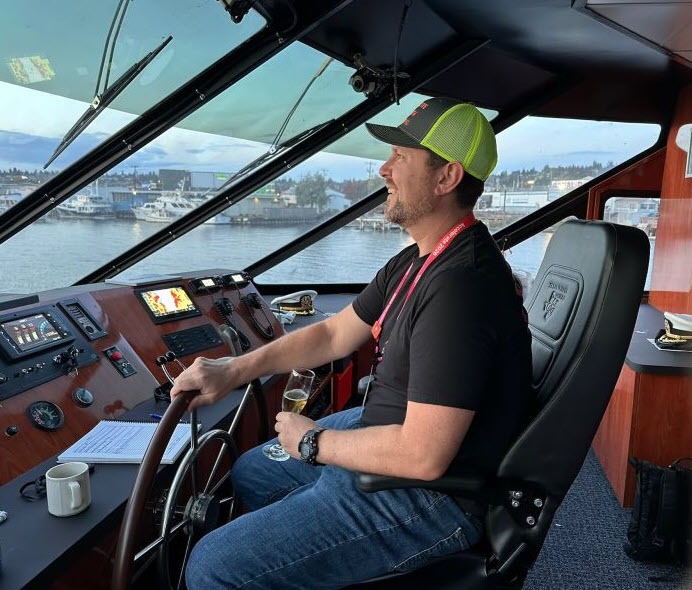
I went to five parties. My two favorites were both at Spin, a ping-pong bar in Seattle. It was loud, you could barely have a conversation, and it was an absolute blast. Pure fun. A close runner-up was the boat party put on by Pattern, SmartScout, and a couple of others. We did a little loop out on one of the sounds, and the captain let me drive the vessel for a few minutes. A few others got a turn at the wheel too. In my defense, I’m licensed to captain any boat under 30 feet. (Okay, it’s a boater safety license, so I’m not actually a captain. Nobody tell the Coast Guard.)
## Seattle and San Francisco Have a Street Problem
Both cities are beautiful, and the weather in both was wonderful. Both also have a serious drug and homelessness problem, and you can’t pretend otherwise.
In Seattle I saw a lot of people deep in “the lean,” bodies folded in half, or fast asleep on the sidewalk with their belongings piled around them. San Francisco felt different. There it was more people walking around yelling and screaming, clearly angry or in crisis.
My walking routes to both convention centers weren’t heavily affected, and most attendees steer clear of the worst blocks anyway. The streets near the water in both cities were much better. If you’re traveling for either event, stay close to the venue and plan your routes ahead of time.
## The Stop in Between
Instead of flying home after Accelerate, I stayed in Seattle in an Airbnb in Queen Anne and met a friend and partner to talk about an acquisition and growing both of our businesses. The meetings went extremely well, and I’m happy to say we’re on our way. I wouldn’t normally be away from my family this long. But it was the one time he and I would be in the same city, so we made it happen.
## San Francisco: Amazon unBoxed
unBoxed is Amazon Ads’ flagship conference. It ran September 28–30 at the Moscone Center, and I was out of my element. I don’t run ads. Most of the crowd were operators at 3P sellers or larger brands, and many of those companies didn’t send their founders. For the first time in a long while, I didn’t have a single founder-to-founder conversation at a conference. That felt strange.
I had friends there as vendors. The event was high-end in some ways and lacking in others. There weren’t nearly enough chairs, so people were sitting on the floor all over the convention center. Security was everywhere: two guards at the top and bottom of every escalator, more at the entrance, and still more at the door of the main hall after you were already inside. The food was nearly all vegetarian.
The sessions I caught on advertising with Prime sports, IMDb, Prime Video, and Twitch were really interesting. The hallway conversations weren’t much use to me.
I went to one party, and it was (yes) another Spin, the same ping-pong bar chain as in Seattle, so more ping-pong. Amazon was putting on a concert that night, and I skipped it for sushi with my buddy Leo Sgovio, who has been in the Amazon space for a long time. We talked business, life, and buying and selling companies. Best conversation of the trip.
Who should go to unBoxed? Anyone managing a large brand that spends large amounts on advertising. Everyone else can probably skip it.
## The Flight Home
On the last day, I misread my Delta departure time and thought the flight left later than it did. I still had plenty of time to board, but between getting my bag tag and scanning it onto the belt, I ran past the bag cutoff. Delta wouldn’t take the bag. They wouldn’t put it on a later flight to Tampa. They wouldn’t let me gate check it. And they wouldn’t let me fly without it.
I rebooked a red-eye from San Francisco to Salt Lake City, then Salt Lake City to Tampa. The upside: my kids still got to wake up to Daddy being home. The downside: I’m utterly exhausted.
## The Takeaway
– **Go to Accelerate** if you’re a founder or operator. Bring your feedback, they want it.
– **Go to unBoxed** if you run big ad budgets for a large brand. Otherwise, it’s probably not your room.
– **Check your departure time** the night before, and get to the bag drop early.
– **Don’t leave your family for so long.** The deals were great, but nothing was worth 11 days.
Want to talk through your Amazon strategy, or your next big event? Get in touch below.
Danan Coleman / Founder
[ GET IN TOUCH ]
News from the Seller Community
Policy & Tactics
Your Boring Product Isn’t Boring Anymore
And that’s a problem.
A few years ago almost nobody searched for a brand name to buy a basic water bottle. Today most shoppers in that category do, and the same shift is quietly happening in categories you wouldn’t expect.
If your product still competes purely on being the cheapest thing in a generic search, it may be time to rethink strategy. The sellers who win the next couple of years are the ones building something a shopper types by name, not just stumbles into.
Categories are shifting from generic to brand-driven loyalty fast. Keywords and rankings still matter, but a brand people ask for by name is the real moat.
From the eCom Growth Show Podcast
Episode #80
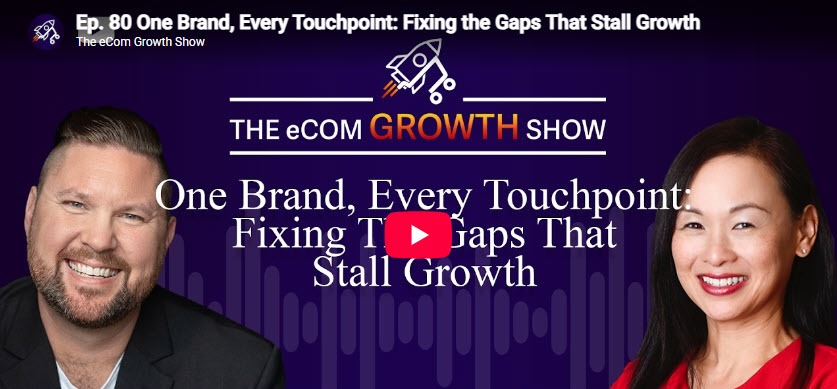
One Brand, Every Touchpoint: Fixing the Gaps That Stall Growth
In this episode of The eCom Growth Show, Danan Coleman sits down with branding and packaging expert Kitty Lai to explore why so many eCommerce brands struggle to scale, even when sales are growing. While many founders focus on advertising, listings, or product development, Kitty argues that inconsistent branding is often the hidden bottleneck holding businesses back.
Drawing on more than two decades of experience building brands for startups, Amazon sellers, and internationally recognized retailers, Kitty explains why branding is much more than a logo. She breaks down how brand guidelines, cohesive messaging, creative leadership, and customer-first thinking help businesses create trust, improve customer experience, and build brands that continue to grow long after launch.
Whether you’re just starting your first product or managing a multi-channel eCommerce business, this episode offers practical advice on building a brand that customers remember, and return to.
Click the Play button above to watch.
For our full selection of episodes click here 👇
Upcoming eCom Events
140th Canton Fair (Oct 15-19)
Large-scale opportunity to discover manufacturers, evaluate new products, establish sourcing relationships, and identify emerging trends directly from suppliers in China.
Creator Commerce Collective (Oct 28)
Hosted by Levanta under the theme “Human-Made,” this is a brand-led gathering for the people shaping product discovery and commerce strategy. Request your invite.
Cross Border Summit 2026 (Nov 3-5)
A three-day ecommerce conference for cross-border sellers, Amazon and multi-channel operators, DTC founders, agencies, and service providers looking to scale internationally.
Prosper Show 2027 (Mar 2-3)
Never too early to start thinking about this one. Prosper brings together marketplace sellers, ecommerce brands, operators, agencies, technology providers, and industry experts for two focused days.
For a full list of industry events (and great parties to attend) visit Ecom.Events:
[ Ecom.Events ]
Black Hat Watch
Malicious Keyword Injection
A recent and prominent black hat tactic used against Amazon sellers is malicious keyword injection, where competitors secretly or forcibly add restricted search terms to a victim’s backend listing to trigger automated suspensions.
The bad guys, truly, never sleep.
What It Is
This one is a lot tougher to pull off, and a lot more nefarious if they do.
- Black Hats inject terms like “antibacterial,” “anti-fungal,” or “pesticide” into backend search fields.
- Amazon’s automated bots flag the ASIN for violating strict regulatory policies, such as EPA pesticide rules.
- The listing is rapidly suppressed or completely blocked from search results and PPC ads.
How?
This is where the tough part kicks in, but where there’s a will, there’s a way.
What attackers do is exploit structural loop-holes in how Amazon processes product information. Because Amazon relies on a collaborative catalog system to manage millions of products, data from multiple sources can occasionally merge or override a listing.
Bad actors take advantage of this architecture through several specific entry points, which would be a longer list than we have room for here — and wouldn’t help much in stopping it.
Your best bet is to build your fortifications in advance.
Your Defense
To protect your listings from malicious overrides and keyword injections, you need to lock down your catalog data and establish continuous monitoring. This can be done by putting in a few basic SOPs (Standard Operating Procedures), and other simple steps.
The key is to take action ahead of the problem.
Note: I can help with tactics to help prevent this. As well, I have a product called Catalog Defender which is designed for this very defense.
Set up a call and let’s see what we can do to help.
This Week’s Dad Joke 😁
What did Yoda say when he saw himself in 4K?
HDMI.
